Home / Features
Features · StitchPress 1.0.0-rc4
Everything a decoration order needs, from the product page to the hoop.
Every plan includes every feature. What follows is the full list, grouped the way a shop meets it: what the customer sees, what the shop sets up, what the shop runs it with.
For your customer
A designer that works inside your decoration areas.
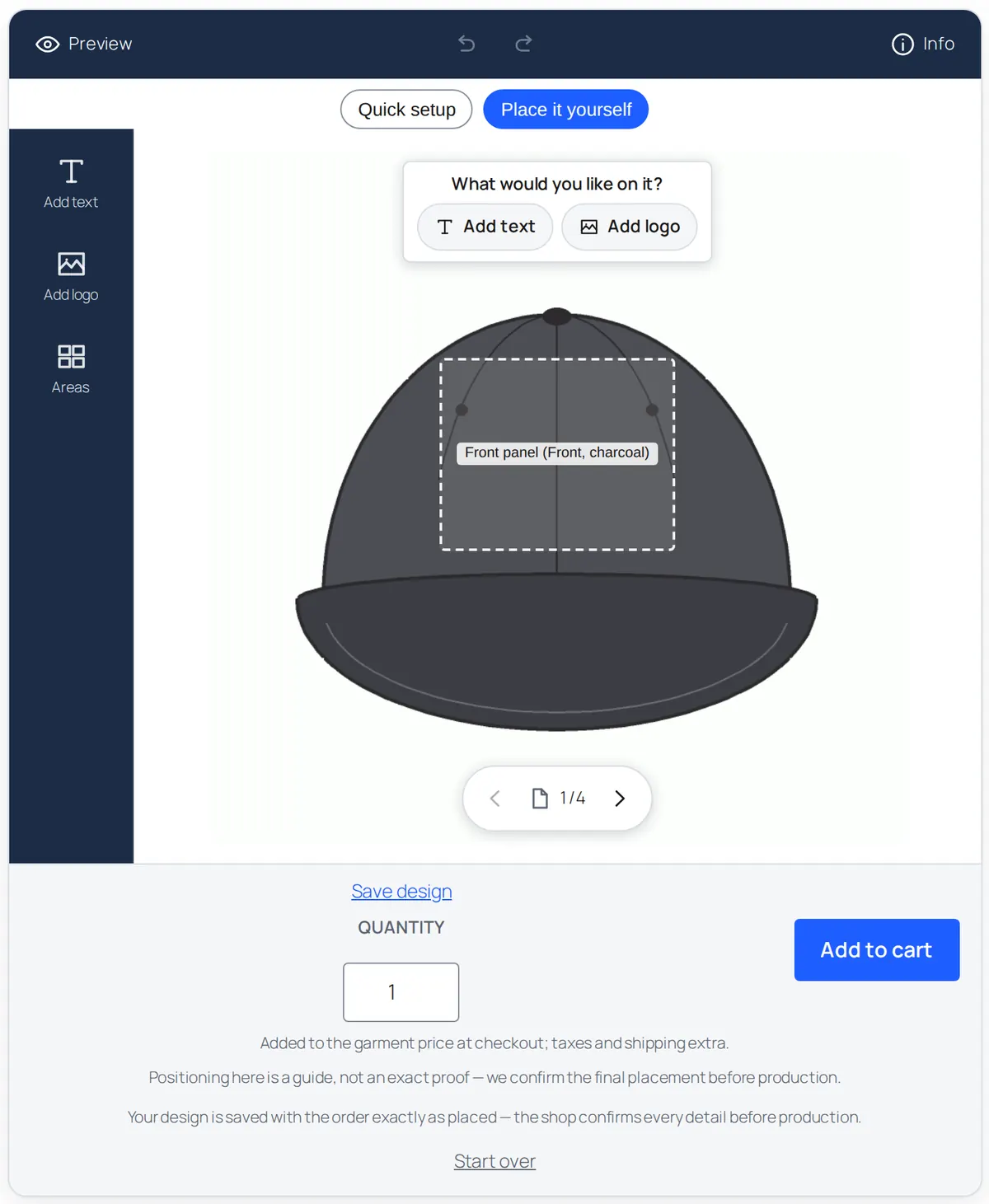
- Two modes per template. Quick setup: tap a zone and fill in a short form. Place it yourself: put text and logos on the garment and drag, scale and rotate them inside the zone.
- Text in your fonts, curved text, undo and redo, layers.
- Logos as JPG, PNG or PDF, with a shop-wide upload limit you control.
- Thread or ink from your own chart, one colour per element for embroidery, one or more for print.
- The garment photo in the colour the customer picked, on the designer, the proof and the Job Jacket.
- A running price, recomputed by the server at add to cart. Where a zone has a real width, the size the customer draws sets the size band.
- Save design: a link that works for 14 days. Logged-in customers get My Account › My designs.
- Order again from a past order, re-checked against the current template and re-priced at today's prices.
- Works with the classic and block cart and checkout; ready in 1,356 ms on a throttled phone in our lab run.
For your shop
Set up once. Templates, pricing, palettes, fonts.
Templates, views and zones
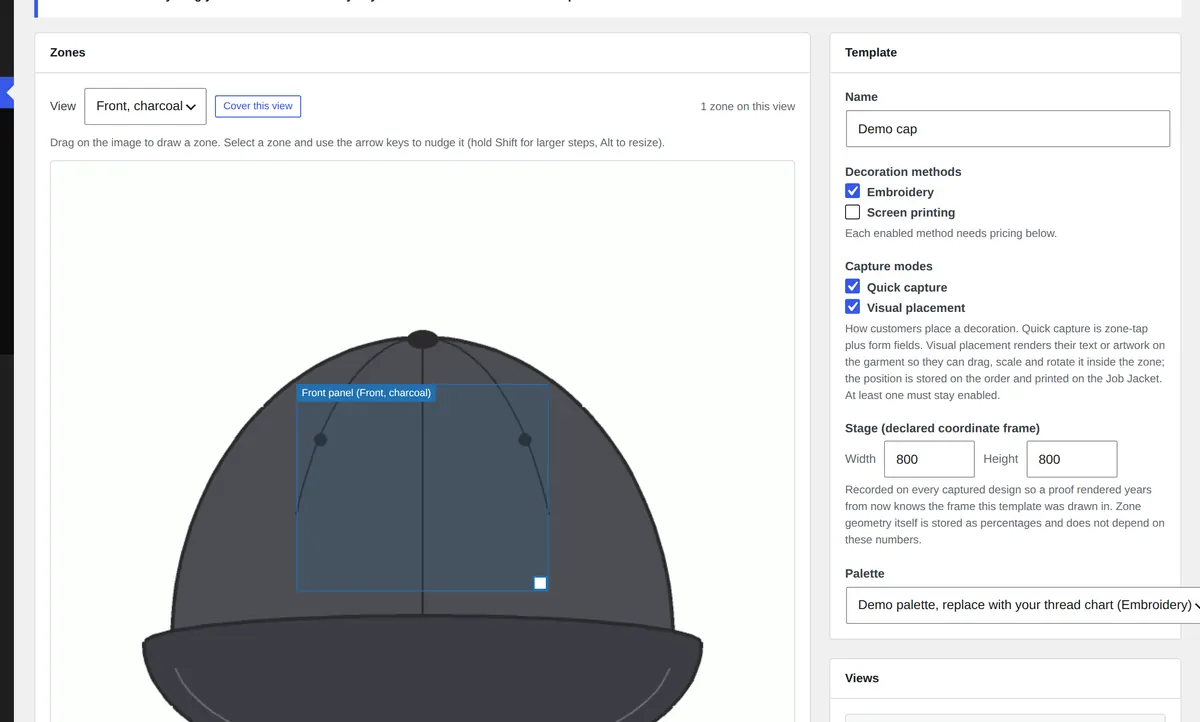
Garment views with placement zones drawn on each one. Sizes per zone, a declared stage so proofs render years later, a palette per method. Assign a template per product, per category or as the shop default. Bulk assign by category previews the affected products before it writes, and can undo.
Garment photos per colour
From the template, the product or a single variation, with a CSV or folder import. The customer sees the cap in the colour they picked.
Two pricing models, one engine
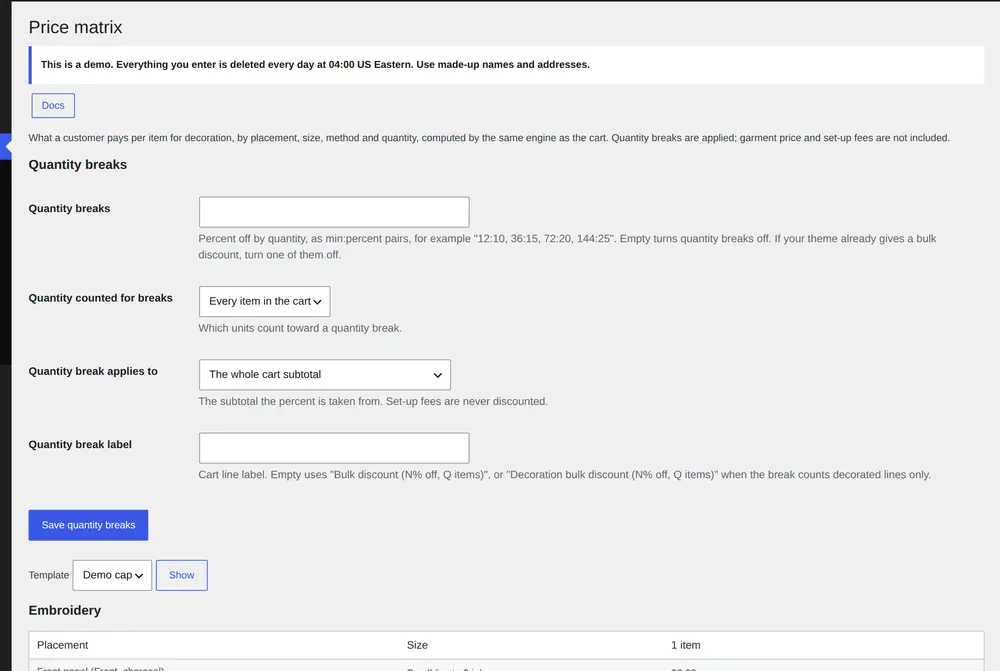
Embroidery is priced by placement and size: a first-placement price, an each-additional price, a multiplier per size. Screen printing by ink count and quantity tier. Setup fees (digitizing per new logo, one screen per ink) are counted once per job across the whole cart, with an amount above which they are waived. Optional shop-wide quantity breaks.
A read-only price table in the template editor and the Price matrix screen show what every combination costs, computed by the same code as the cart. Worked examples in the docs.
Palettes and fonts you have rights to
Import your thread or ink chart as CSV (code, name, hex). Upload the fonts your shop holds webfont licences for, with a licence confirmation per file. StitchPress ships no fonts and no Pantone.
Proofs and production
The order waits until a proof is approved. Then the Job Jacket goes to the floor.
Proof rounds
Signed link, approve or request changes
Staff upload a proof from the order screen and send it; the customer approves or asks for changes on a page that needs no login. Rounds are recorded with the decision, time and comment. Staff can record an approval received another way, or cancel the hold with a reason that goes on the order.
Changes that cost more
A linked balance order, not an edited total
When a customer's change on a paid order raises the price, StitchPress creates a linked balance order with a pay link and leaves the paid order's totals alone.
Job Jacket
Placement, size, thread, font, artwork, proof, estimate
Thread or ink by code and name, fonts used, the artwork download, the approved proof picture, stitch or screen estimates, and blank production-record lines. Staff print view, batch print from the queue, Letter and A4.
Production queue
Queued, In production, Ready, Shipped
Every order with a decorated line, newest first, with its estimate and proof state. Change the status per order; a webhook fires when it changes.
Emails
Seven WooCommerce emails you can edit
Proof ready, proof approved, changes requested, new decoration order, order ready, and the shop's own copies, plus "Design updated". Each under WooCommerce › Settings › Emails, with templates you can override in your theme.
Export
CSV, one row per placement
Decorated orders filtered by status, date range and method, for the digitizer, the bookkeeper or another system.
Running it
Built to be installed by a shop, maintained by one person, and extended by a developer.
Setup
Wizard and demo data
A setup wizard on first activation: method, a starter template with your prices, palette, font, test order. A demo importer creates three templates, six products and two orders you can remove in one click.
Settings
Seven tabs, JSON export and import
General, Storefront, Artwork, Estimates, Emails, Privacy, Advanced. Two built-in skins (Default and Workshop) with a live preview, or write your own.
Health
System status and logging
Pass/fail checks for versions, HPOS, upload folders and scheduled tasks, with a copy-report button. Logging through the WooCommerce logger with a debug switch; email addresses are kept out of the log.
Integration
REST API and three signed webhooks
The stitchpress/v1 namespace, and WooCommerce webhook topics for design ordered, proof approved and production status changed, each with an event id and time for de-duplication. Hooks and filters for everything else.
Privacy
Export, erase, retention
Personal data export and erasure cover designs, saved designs, artwork and proof decisions. A retention setting deletes designs that were never ordered. What is stored, where, and for how long.
Languages
English and Spanish
Spanish (es_ES) ships complete for the designer, the proof page, the emails and the admin. Other languages through the standard WordPress translation files.
Requirements
What it runs on
Every feature, on every plan, from $199 a year.
No per-order fee. Staging and local copies never use a seat. 14-day refund.